
Card Inventory Use Cases
Track physical cards from the bureau file to the customer: stock, custody, approvals, the Card Inventory Management portlet and the APIs behind it
Card Inventory tracks every physical card from the moment its personalisation file is loaded until the card is issued to a customer, destroyed or confirmed lost. Each card has one status, one location and one person responsible for it, and every move is recorded with who did it and when.
Use it when a tenant orders physical cards from a bureau, holds them in a Card Centre, sends them to branches, and issues them to customers through the card API. The Card Inventory Management portlet gives each role a screen for its part of the work. The same functions are available through the APIs described below.
The following Card Inventory functions are currently supported:
- Order cards from the bureau and capture the bureau's packing list
- Record deliveries at the Card Centre
- Branch stock requests, and dispatches against them
- Branch receipt, allocation to issuing officers, and issue to a customer
- Transfers between branches, handovers between custodians, and returns to the Card Centre
- Exceptions: flag damaged cards, correct a status, adjust stock, quarantine, destroy with a witness, and confirm missing cards as lost
- A custody history for every card, a stock dashboard and 12 reports
- Maker-checker approval of the sensitive steps
Prerequisites:
- A valid JWT for the acting user. Positions are read from the token, so sign in again after a user's positions or the tenant configuration change.
- Card Inventory is turned off by default. Contact EFT Corporation to have it enabled for your tenant (tenant config
cim.enabled). - The Card Centre and each branch set up as divisions, with staff assigned to the Card Inventory positions.
- Each role mapped to a tenant position through the
cim.position.*settings:cim.position.custodian,cim.position.issuer,cim.position.ops,cim.position.opsSenior,cim.position.complianceandcim.position.management. A role with no position configured takes no part. - The
CardInventory.*permissions given to each role's position. See Permissions Required. - For ordering, a card programme and bureau arrangement agreed with EFT Corporation. Optionally,
cim.programmeslists the programmes offered on stock requests, asname:labelScheme:expiryYears, comma separated. If it is not set, any programme is accepted. - Optional tenant settings:
cim.issuanceGuard.enabled(whentrue, a card is issued only if it is allocated to the issuing officer, not expired and at an active branch),cim.reservation.expiry.days(days a shipment can wait for approval before its cards are released, default 7) andcim.expiry.warning.days(days before expiry that a card counts as nearing expiry on the dashboard, default 60). - To use the portlet, the portlet added to the tenant. See Portlets.
- The
CIM_*report definitions made available to the tenant, for the dashboard and the Reports screen.
How a card moves
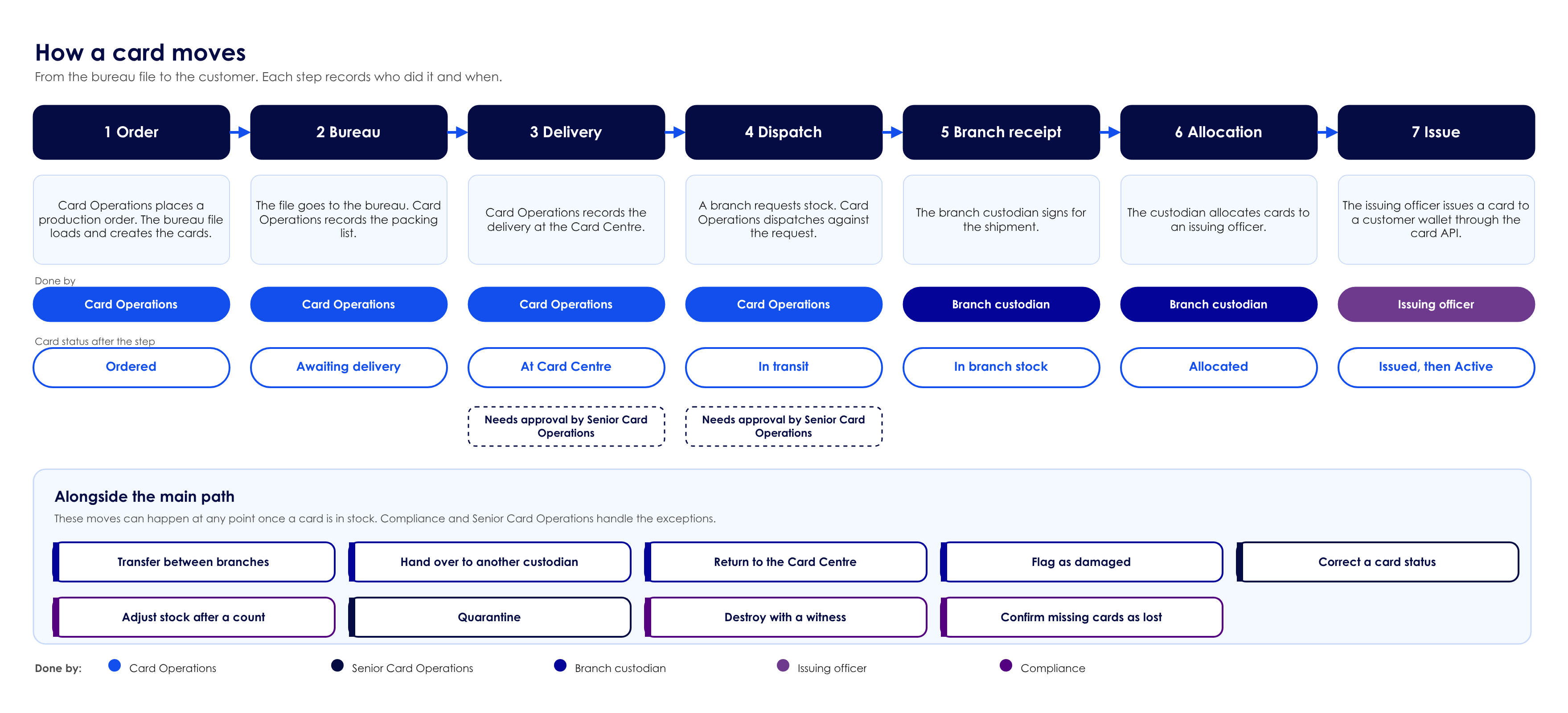
A card goes through seven steps. Two of them, the delivery at the Card Centre and the dispatch to a branch, need a second person to approve them before the cards move on. At any point once a card is in stock, it can also be transferred between branches, handed over, returned to the Card Centre, flagged as damaged, corrected, counted, quarantined, destroyed, or confirmed as lost.
Roles
Each role maps to a tenant position through a cim.position.* setting, so a tenant uses its own positions. A role with no position configured takes no part. The positions in the table (LEVEL_11 to LEVEL_16) are example values.
| Role | Setting | Example position | Scope | What the role can do |
|---|---|---|---|---|
| Branch custodian | cim.position.custodian | LEVEL_11 | One branch | Raise stock requests. Sign for shipments and accept handovers. Allocate cards to issuing officers. Flag damaged cards. Prepare transfers, returns and handovers. See only the cards and requests of their own branch. |
| Issuing officer | cim.position.issuer | LEVEL_12 | One branch | See the cards allocated to them. Return unissued cards to the custodian. Flag cards. Issue a card to a customer wallet. |
| Card Operations | cim.position.ops | LEVEL_13 | All divisions | Place production orders. Capture packing lists. Record bureau deliveries. Prepare dispatches. Reject or cancel stock requests. Ask for a branch to be blocked or unblocked. Sign for returns at the Card Centre. |
| Senior Card Operations | cim.position.opsSenior | LEVEL_14 | All divisions | Place production orders, capture packing lists, and reject or cancel stock requests. Approve deliveries, dispatches and branch blocks made by others. Correct a card's status. Set reorder levels. In the portlet, Senior Card Operations does not prepare deliveries or dispatches, so that a second person always approves them. |
| Compliance | cim.position.compliance | LEVEL_15 | All divisions | Adjust stock after a count. Destroy quarantined or returned cards with a Card Operations witness. Confirm missing cards as lost. |
| Management | cim.position.management | LEVEL_16 | All divisions | Read only: dashboard, lookup, shipments and reports. |
- Branch roles see and act only on their own branch. Card Operations, Compliance and Management see every division.
- When Card Inventory is on, admin-user rules apply. A Card Operations position cannot be combined with a branch position, a custodian or issuer sits on exactly one branch, and a user who still holds cards cannot lose their position, change division or be deleted.
Approvals
Sensitive steps need a second person. Each permission can be set as a single position, or as a maker and checker pair such as LEVEL_13->LEVEL_14, in which case the call runs as an approval task. A person cannot approve their own request. In the reference set-up:
| Step | Made by | Approved by |
|---|---|---|
| Delivery or dispatch prepared by Card Operations | Card Operations | Senior Card Operations |
| Transfer or return prepared by a custodian | Branch custodian | Card Operations or Senior Card Operations |
| Block or unblock a branch | Card Operations | Senior Card Operations |
| Confirm missing cards as lost | Card Operations, Senior Card Operations or a custodian | Compliance |
A shipment that waits for approval holds its cards. If the approval is rejected, or the shipment waits longer than cim.reservation.expiry.days (default 7), the cards are released.
The portlet
The Card Inventory Management portlet is a standalone page for the admin portal. To open it, sign in to the admin portal, open the tenant, choose Portlets and select Card Inventory Management. The portal signs you in as the portal user, and the portlet shows the screens for that user's role. A user can also sign in directly on the portlet's own sign-in page. Global administrators can open it as any role. To add the portlet to a tenant, see Portlets.
A guided tour for each role is available from the Guided tour button in the header.
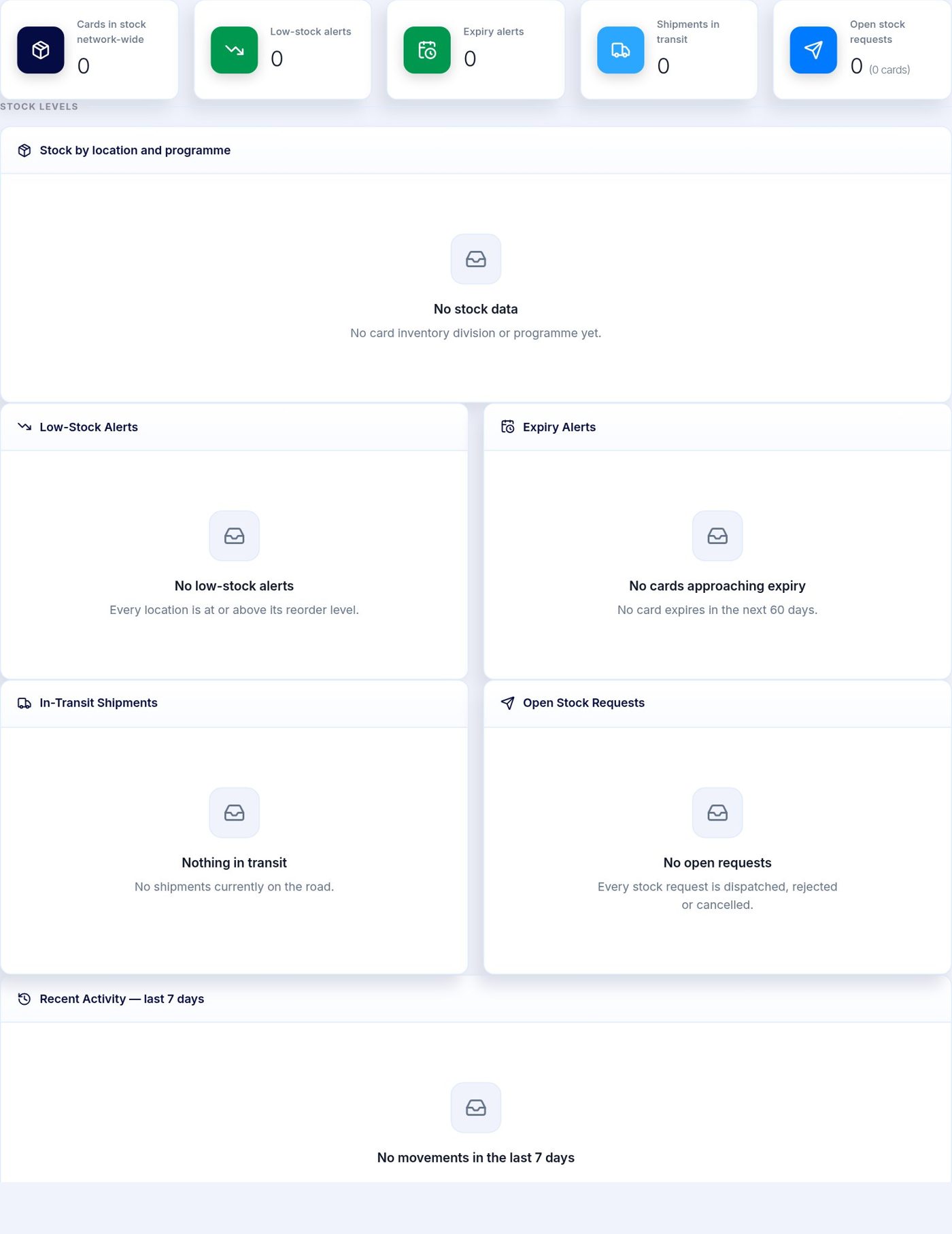
Stock Dashboard. Stock by programme, low-stock and expiry alerts, shipments in transit and open stock requests.
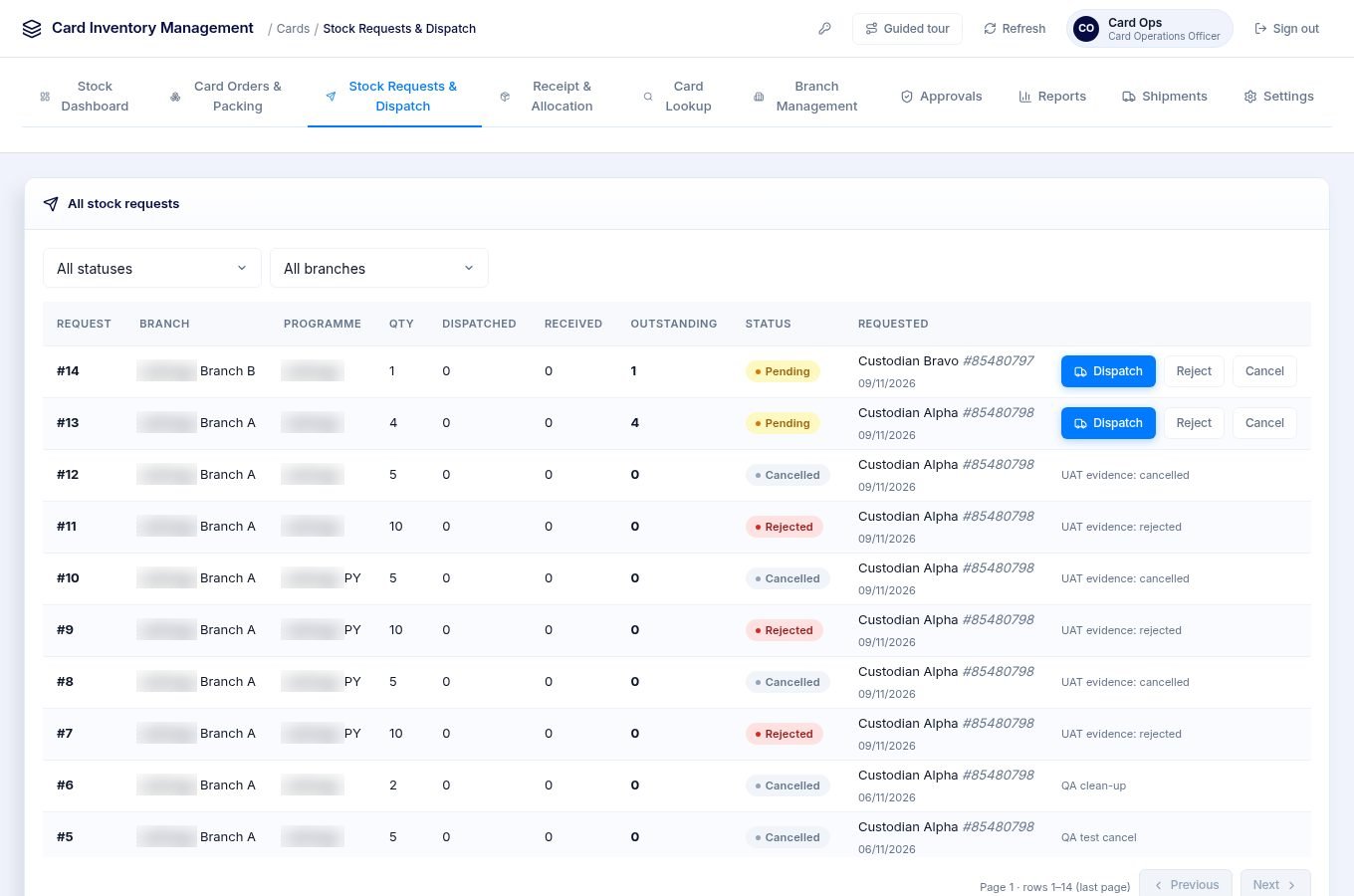
Stock Requests & Dispatch. Card Operations sees requests from every branch, and can dispatch, reject or cancel them.
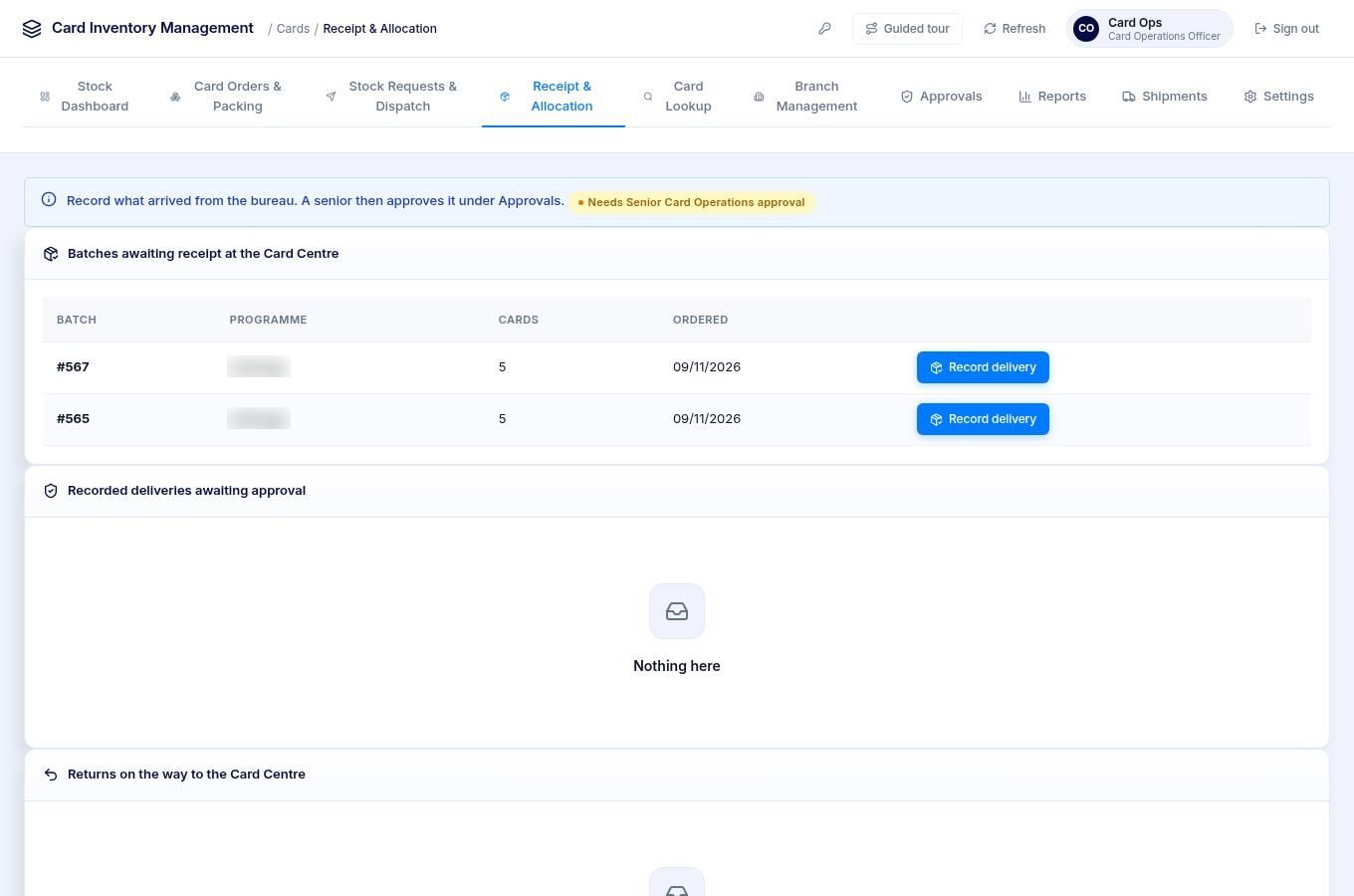
Receipt & Allocation (Card Operations). Batches waiting to be recorded as delivered at the Card Centre.
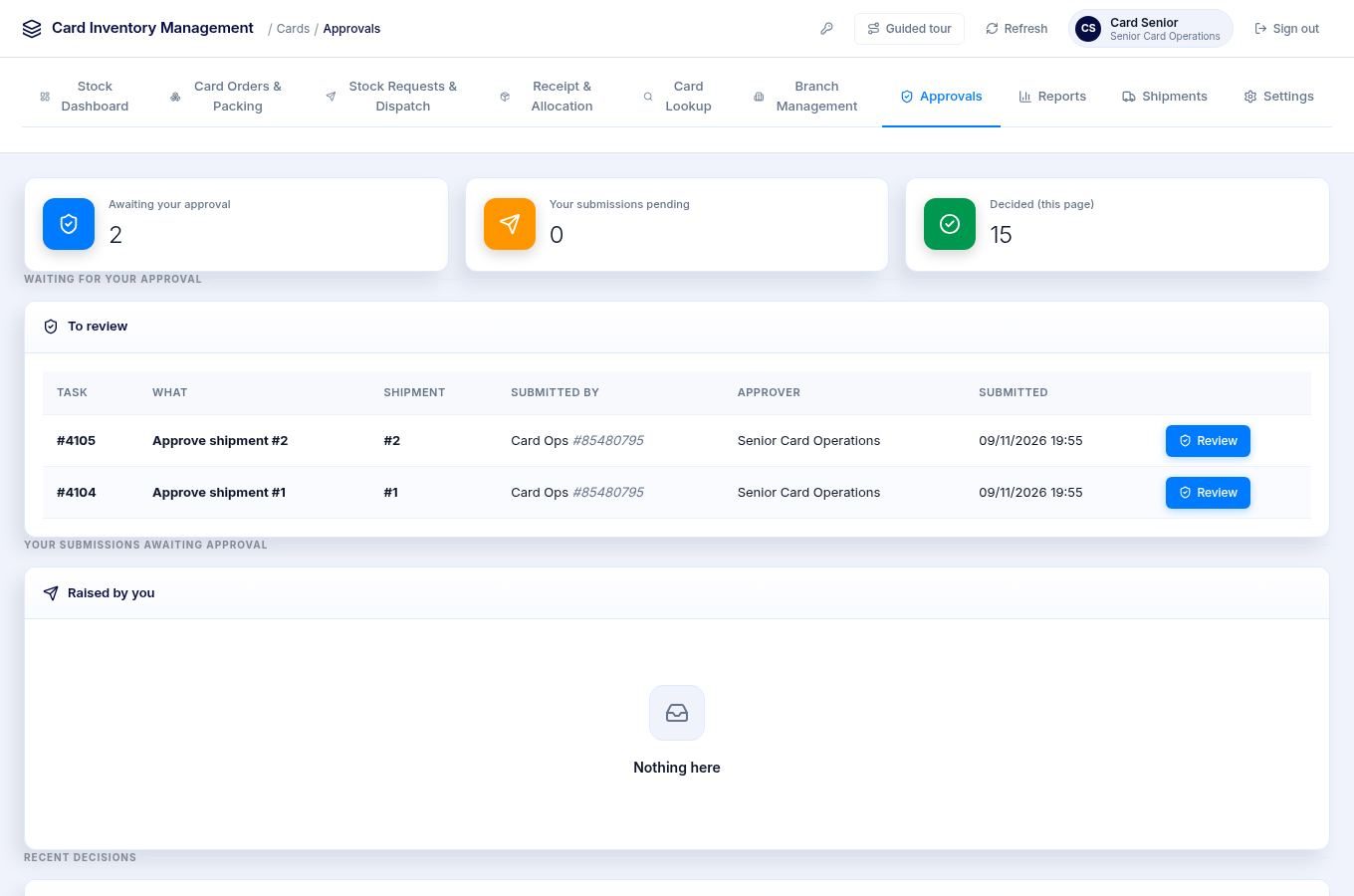
Approvals. The second person reviews and approves or rejects each pending task. The person who made a request cannot approve it.
Receipt & Allocation (branch custodian). The custodian signs for incoming shipments and allocates, flags, transfers, returns or hands over the cards they hold.
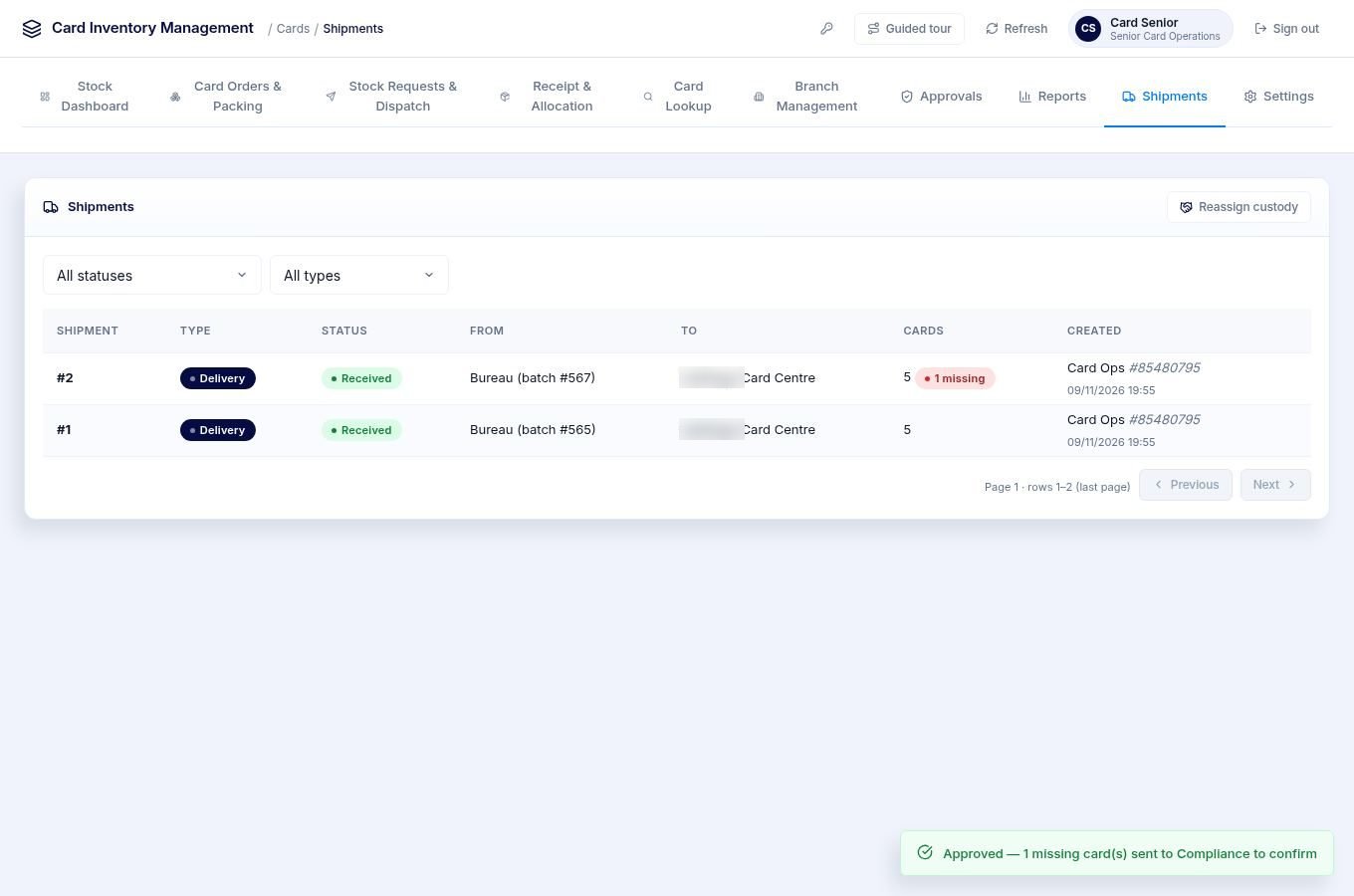
Shipments. Every delivery, dispatch, transfer, return and handover, with its status.
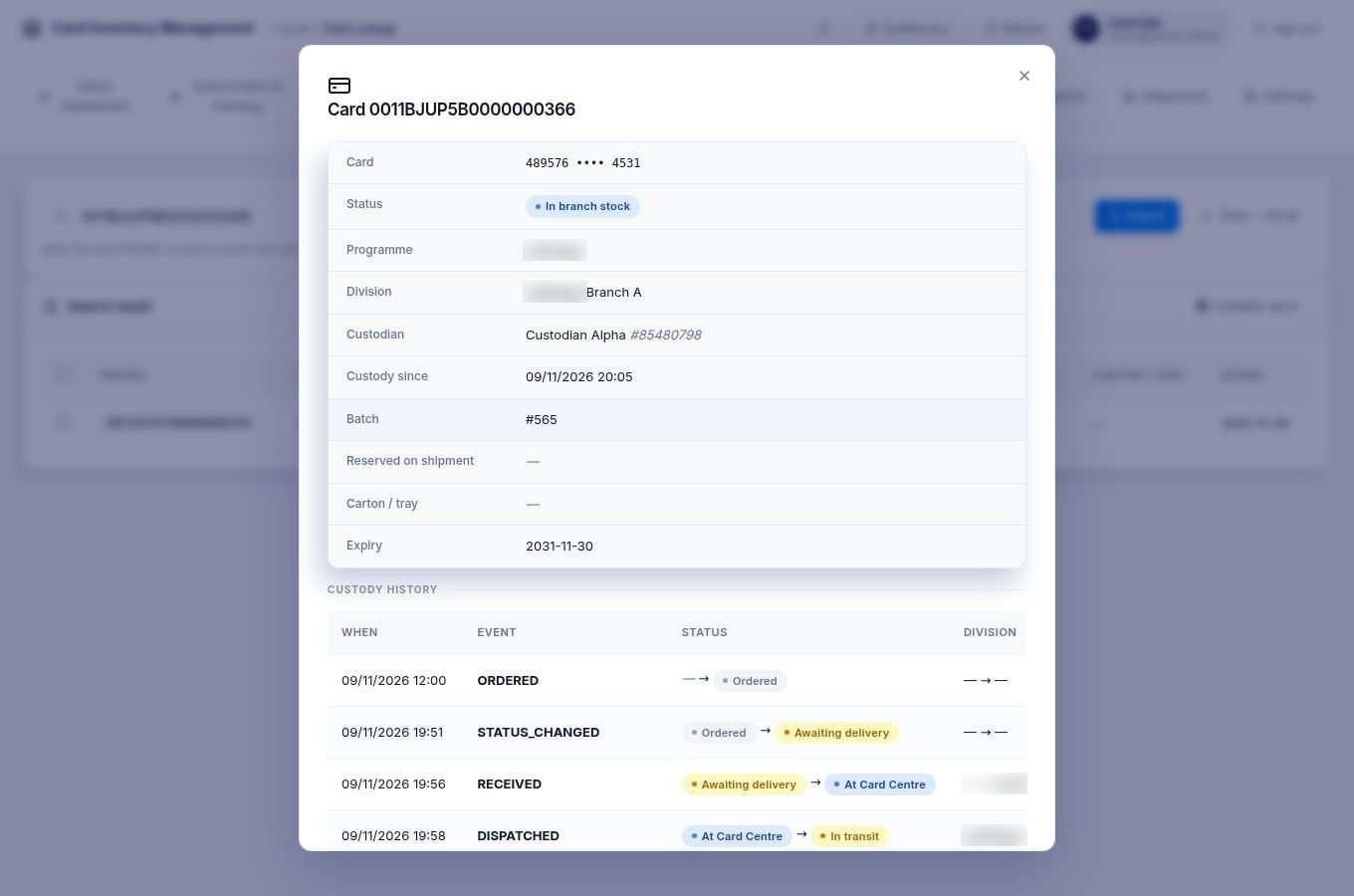
Card Lookup. Find a card by PackID and see its details and every move from order to customer.
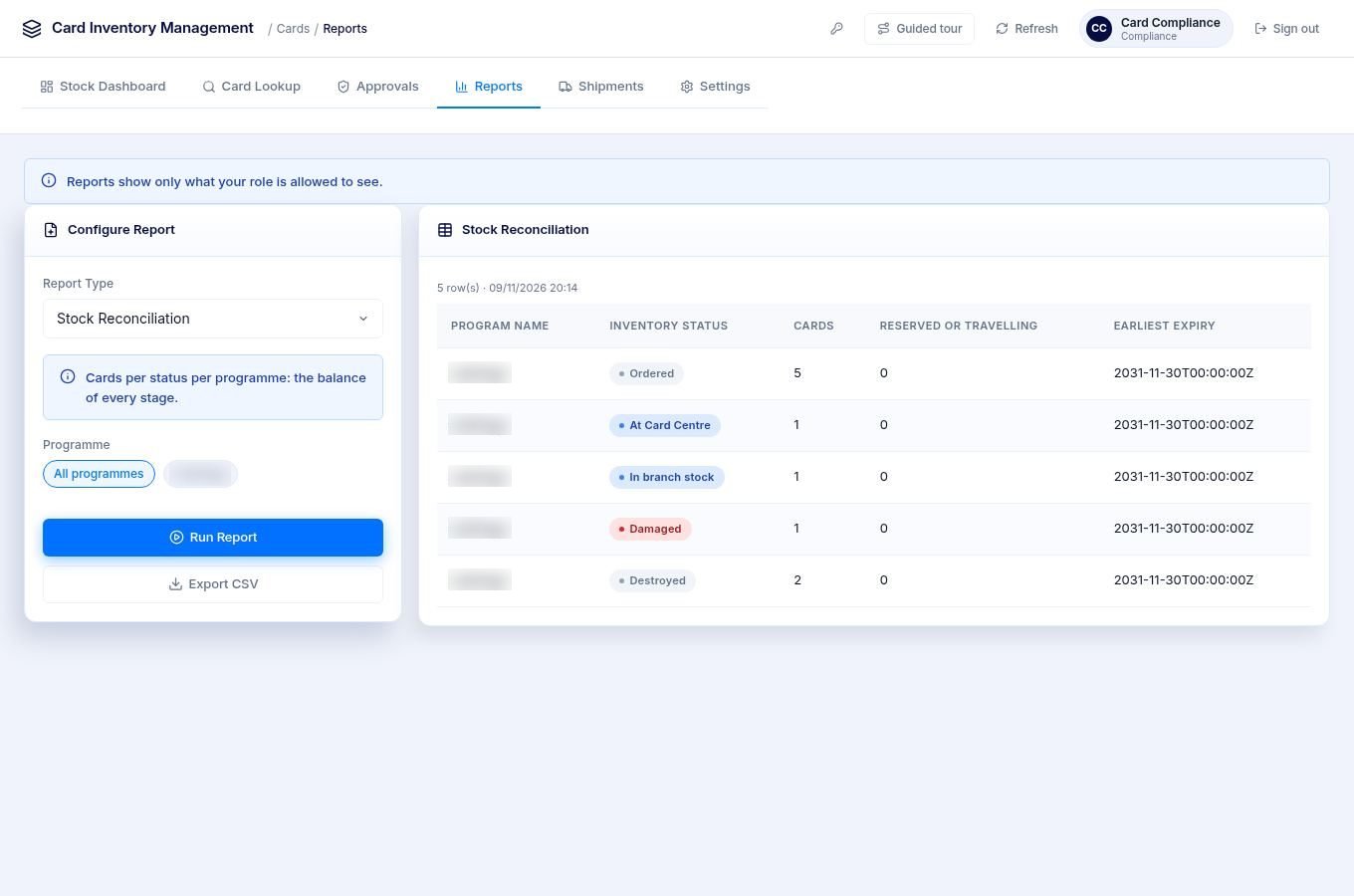
Reports. Twelve reports, including stock reconciliation, custody history, missing cards, quarantine and destruction, and a maker-checker audit.
API overview
All Card Inventory calls use the tenant's conductor base path and a JWT for the acting user. The user's positions come from the token, so sign in again after changing a user's positions or the tenant configuration.
- Tenant level:
/eclipse-conductor/rest/v1/tenants/{tenantId}/card-inventory/... - Division level:
/eclipse-conductor/rest/v1/tenants/{tenantId}/divisions/{divisionId}/card-inventory/...—{divisionId}is the division acted on, such as the branch that sends or receives.
Cards are identified by cardPackId. Card responses carry cardBin and cardLast4, never the full card number. List calls take offset (default 0) and limit (default 50, maximum 1000).
Settings, programmes and branches
| Method and path | Purpose |
|---|---|
GET /card-inventory/settings | Whether Card Inventory is on, the issuance guard and timing settings, the role positions and the permissions. Open to any signed-in user. |
GET /card-inventory/programmes | Card programmes that can be ordered or requested |
GET /card-inventory/branches | The Card Centre and branches the caller can see |
GET /card-inventory/reorder-levels | Reorder levels by programme and branch |
PUT /card-inventory/reorder-levels | Set reorder levels |
GET /divisions/{divisionId}/card-inventory/staff | Card Inventory staff of a division, by role |
PUT /divisions/{divisionId}/card-inventory/stock-status | Block or unblock card stock movement at a division |
Ordering and packing
| Method and path | Purpose |
|---|---|
POST /card-inventory/production-orders | Place a card production order |
GET /card-inventory/batches | List card production batches |
POST /card-inventory/batches/{batchId}/status | Mark a batch's cards as produced |
POST /card-inventory/batches/{batchId}/packing-lists | Capture the bureau's packing list. Add dryRun=true to check it without saving. |
GET /card-inventory/batches/{batchId}/packing-lists | List a batch's packing lists |
Stock requests
| Method and path | Purpose |
|---|---|
POST /divisions/{divisionId}/card-inventory/stock-requests | A branch requests card stock |
GET /divisions/{divisionId}/card-inventory/stock-requests | List a branch's requests |
GET /card-inventory/stock-requests | List requests across branches |
GET /card-inventory/stock-requests/outstanding | Outstanding requests for a programme |
PUT /card-inventory/stock-requests/{stockRequestId} | Reject or cancel a request |
Shipments and receipts
| Method and path | Purpose |
|---|---|
POST /divisions/{divisionId}/card-inventory/inbound-receipts | Record a bureau delivery at the Card Centre |
GET /card-inventory/available-stock | Card Centre stock available to ship, grouped by card, tray or carton |
POST /card-inventory/shipments | Prepare a dispatch from the Card Centre |
POST /divisions/{divisionId}/card-inventory/shipments | Prepare a transfer, return or handover from a branch |
GET /card-inventory/shipments | List shipments, filtered by status, type or division |
GET /card-inventory/shipments/{shipmentId} | Get a shipment and its cards |
POST /card-inventory/shipments/{shipmentId}/approve | Approve a shipment |
POST /divisions/{divisionId}/card-inventory/shipments/{shipmentId}/receipt | Sign for a shipment, with an outcome for each card |
Custody and exceptions
| Method and path | Purpose |
|---|---|
POST /divisions/{divisionId}/card-inventory/allocations | Allocate cards to an issuing officer |
POST /divisions/{divisionId}/card-inventory/returns | Return unissued cards to a custodian |
POST /divisions/{divisionId}/card-inventory/flags | Flag cards as damaged or returned |
POST /card-inventory/status-changes | Change the status of cards |
POST /card-inventory/stock-adjustments | Adjust stock after a count |
POST /card-inventory/destructions | Destroy cards, with a witness and a certificate reference |
POST /card-inventory/missing-confirmations/{shipmentId} | Confirm missing cards as lost |
Cards
| Method and path | Purpose |
|---|---|
GET /card-inventory/cards | List cards, filtered by division, status, programme, custodian or batch |
POST /card-inventory/cards/search | Find a card in stock by card number |
GET /card-inventory/cards/{cardPackId} | Get a card |
GET /card-inventory/cards/{cardPackId}/history | A card's custody history, oldest first |
Existing APIs that change
These behave differently only when cim.enabled is true for the tenant.
| API | Change |
|---|---|
POST /tenants/{tenantId}/organisations/{orgId}/divisions | Accepts divisionCode, divisionType, region and address. New Card Inventory divisions start active. |
PUT /tenants/{tenantId}/divisions/{divisionId} | Cannot change cardStockStatus. Use stock-status above. |
POST /tenants/{tenantId}/wallets/{walletId}/cards (physical) | With the issuance guard on, a card is issued only if it is allocated to the caller, not expired and at an active branch. A successful issue records the card as ISSUED and ACTIVATED. |
GET /tenants/{tenantId}/reports/{reportId} | Seventeen CIM_* reports are available for the dashboard and the Reports screen. |
NoteCalls that are set up as maker-checker steps are queued as an approval task and run only once approved. The response to the first call carries the task ID in the
task-idheader, not the result. See Maker-Checker Tasks.
Permissions Required
| Permission | Description |
|---|---|
CardInventory.READ.Allowed | Read every Card Inventory screen, list and report |
CardInventory.Batch.CREATE.Allowed | Place production orders and mark a batch produced |
CardInventory.PackingList.CREATE.Allowed | Capture the bureau packing list |
CardInventory.StockRequest.CREATE.Allowed | Raise a branch stock request |
CardInventory.StockRequest.UPDATE.Allowed | Reject or cancel a stock request |
CardInventory.ShipmentPrepare.CREATE.Allowed | Prepare deliveries, dispatches, transfers, returns and handovers |
CardInventory.ShipmentApprove.CREATE.Allowed | Approve a shipment |
CardInventory.Receipt.CREATE.Allowed | Sign for a shipment or accept a handover |
CardInventory.Allocation.CREATE.Allowed | Allocate cards to an issuing officer and return unissued cards |
CardInventory.Flag.CREATE.Allowed | Flag held cards as damaged or returned |
CardInventory.StatusChange.CREATE.Allowed | Correct a card's status |
CardInventory.StockAdjust.CREATE.Allowed | Correct stock after a count |
CardInventory.Destruction.CREATE.Allowed | Destroy quarantined or returned cards |
CardInventory.MissingConfirm.CREATE.Allowed | Confirm missing cards as lost |
CardInventory.DivisionBlock.UPDATE.Allowed | Block or unblock a branch |
CardInventory.ReorderLevel.UPDATE.Allowed | Set reorder levels |
Updated 3 days ago