
Introduction
What the Payments Hub is, who uses it, and why teams choose it over calling their processor
The Payments Hub is the self-service web portal for organisations operating on the Postilion payment platform. From a single dashboard you can monitor live transaction performance, view branches and terminals, run reports, and manage your team's access — without needing to contact your payment processor for routine tasks.
Everything in the portal is scoped to your organisation and updates in real time: merchants see their own branches and terminals, RAP operators see every merchant they operate on behalf of.
This guide covers the non-obvious aspects of using the portal. If you're new, start with Getting Access.
Who uses the portal
The portal serves three types of user:
| Persona | Typical user | What they get |
|---|---|---|
| Merchant | A merchant's own staff | Dashboard, transactions, branches, terminals, reports, and settings for their organisation |
| Branch | Staff scoped to a single branch group | The same views as Merchant, limited to their assigned branches |
| RAP (Retail Application Provider) | Processor or acquirer staff operating merchants | Everything above, plus a Merchants view to switch between and manage every merchant they operate, and portfolio-wide reports such as Merchant Performance Ranking |
Within each persona, your role (Admin, User, or Operations) further shapes what you can see and do — see Roles and Access for the full breakdown.
Why teams use it
- Real-time visibility — live transaction monitoring, decline breakdowns, and terminal activity, without waiting on a processor report
- Non-transacting terminal detection — spot terminals that have gone quiet across every branch, via the dashboard or the Active/Inactive Terminals reports
- Self-service reporting — 11 report types covering transactions, terminals, branches, and reconciliation, run on screen or delivered by email — see Reports Reference
- Faster reconciliation — Daily Reconciliation and Transaction Reversals reports built for end-of-day balancing
- Secure, role-based access — Admin, User, and Operations roles control exactly what each team member can see, with optional two-factor authentication
What you can do
| Section | Purpose |
|---|---|
| Dashboard | Live summary of transaction volumes, approval rates, and decline trends |
| Transactions | Full transaction history with status, terminal, and amount detail |
| Branches | View all your locations and drill into their terminals |
| Terminals | Overview of every POS terminal across your organisation, including which ones have gone quiet |
| Reports | Run and export summarised transaction reports — full reports reference → |
| Team | Invite and manage team members and their access scopes (Admins only) |
| Settings | Update your profile, change your password, and enable 2FA |
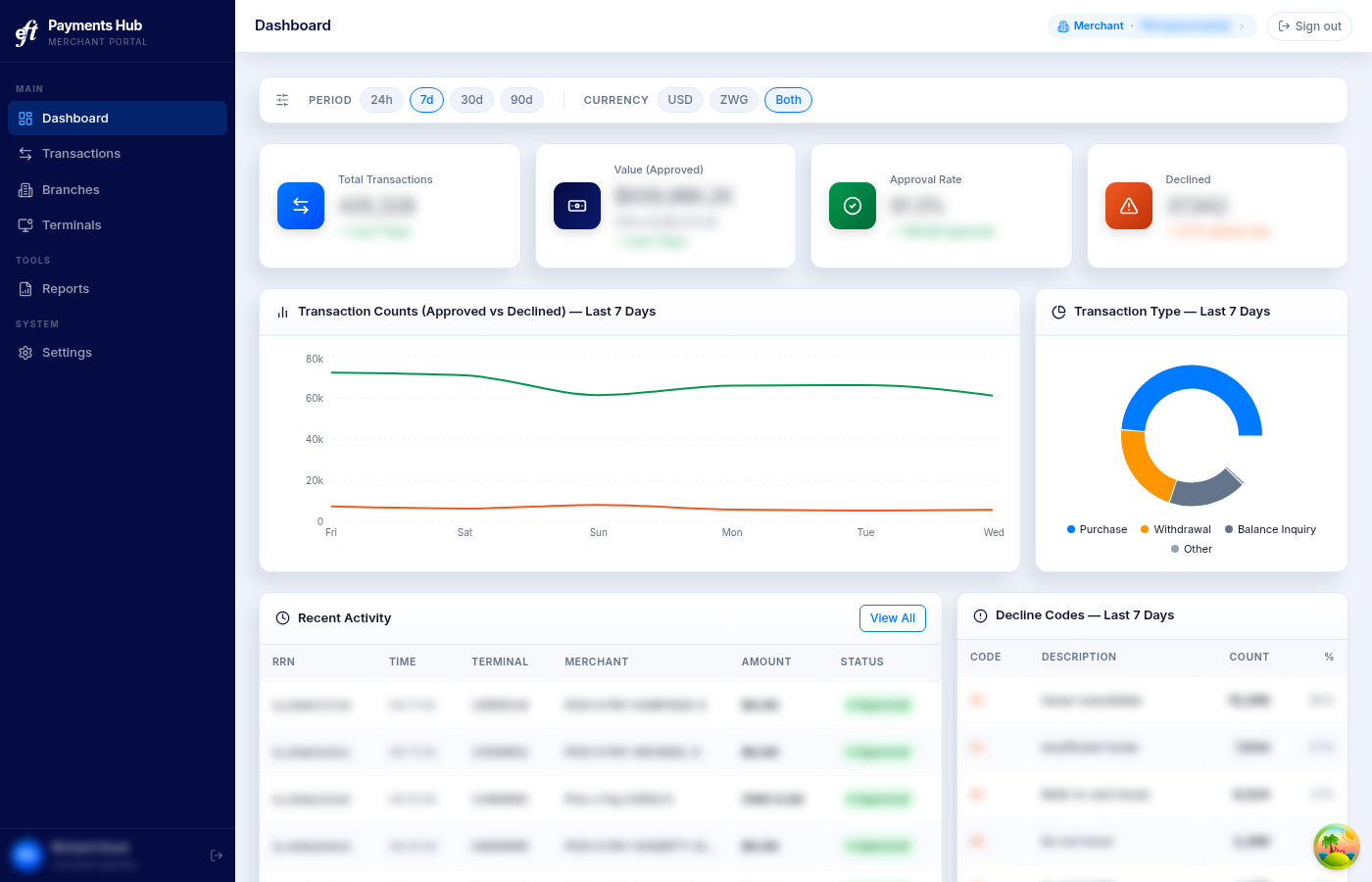
The Payments Hub dashboard
Updated 2 months ago